

24 Sep 12 Must-Know Benefits of Using Interactive Whiteboards for Training Sessions
Training in the modern world is nothing like it was a decade ago. In the learning rooms, to the boardrooms of organizations, technology has transformed the way individuals learn, work, and memorize information. The interactive whiteboard (IWB) is the core of this change and an effective tool that transforms passive training into an active and interactive process.
And regardless of whether you are in New Zealand or any part of the globe, switching to the interactive white boards in training can make you save on some costs, enhance engagement and future proof your programs. The 12 benefits of interactive whiteboard in training sessions that one must know are listed below along with real-life insights, ROI factor and the answers to the frequently asked questions.
Before going forward there are some facts I want to share here : In Auckland, interactive whiteboards are transforming learning and collaboration across a wide range of spaces. From Te Kura o Tāmaki (local schools) and Te Kura Tuarua o Tāmaki (high schools) to Tāmaki Tari (offices) and Te Pokapū o Tāmaki (community centers), these tools are enhancing communication, engagement, and productivity. Even in spaces like Tāmaki Whare Hauora (health centers) and Te Whare Pukapuka o Tāmaki (libraries), interactive whiteboards are helping people share ideas, visualize information, and work together more effectively.
Available WiPath's Whiteboards Solutions for

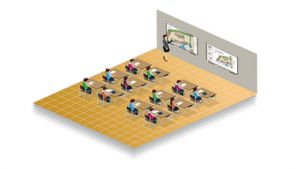
Education
Teaching, presentations, live annotation
Government
Internal comms, conference, and workshops

Corporate
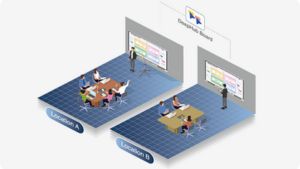
Boardroom meetings & hybrid collaboration
Hospitality
Training and Standard Operating Procedure (SOP) sharing

Healthcare
Patient information, team updates
Science/Research
Data analysis, brainstorming
1. Increases Participation and Driving power.
The conventional slides tend to put the learners into a trance. Using an interactive whiteboard, participants will be able to annotate it, drag and drop elements, or answer live polls. Practical participation maintains high levels of attention and encourages the learners to participate.
2. Favors Alternative Learning.
All individuals do not learn in the same manner. Interactive whiteboards are compatible with:
- Charts, videos and diagrams: visual learners.
- Hearers who learn and are recorded and who discuss.
- Kinesthetic learners through allowing them to touch the board.
This method of training is exclusive and interactive.
3. Promotes Teamwork and Cooperation.
Interactive boards are successful with group learning activities. Several users can interact with the screen simultaneously, and brainstorming, problem-solving, and role play activities will become more interactive. This can be applied especially in corporate workshops and leadership training.
4. Provides Real-Time Feedback
Annotations, polls and quizzes can be done in real-time. Trainers are able to evaluate the knowledge gaps instantaneously and modify the delivery. This makes sure that no one walks out of the session lost or bored.
5. The majority of Digital Tools are integrated.
Any interactive whiteboard can work harmoniously with the current tools, including PowerPoint and Google Workspace, as well as Zoom, Teams, and training applications. There is no wasted time in changing devices, all that occurs is in a single interactive screen.
6. Breaks Down Complicated Subjects.
It is easier to explain complicated concepts using interactive diagrams, flowcharts, or even 3D models. In such industries as healthcare, engineering, and finance, this visual learning is a big influence.
7. Saves and Shares Session Material.
In contrast to the traditional whiteboards that are erased after a session, IWBs enable the trainers to store the whole session -with notes and annotations. They can be sent through email, stored in a cloud drive or added to a Learning Management System (LMS) to update them.
8. Reduces Cost of Training in the Long Run.
Although interactive whiteboards are a short-term expense, but it is very good way of investment for future:
- Less costs of printing and paper.
- Less the need to travel (hybrid training).
- Reusable digital resources.
This product is perfect in ROI oriented organizations.
9. Ideal to use in Remote and Hybrid Training.
Hybrid training has been a necessity with remote work now becoming the standard in New Zealand. Remote participants can interactively use interactive whiteboards in which they can:
- Anyone can view content in real-time.
- Communicate via applications or web-based solutions.
- Even if someone is far away , still he/she can be part of the interaction.
This allows the staff (all) to have a uniform training, irrespective of geographical location.
10. Promotes the Participation.
Interactive experiences are created through gamified learning, quizzes, and polls to convert passive meetings into active ones. This occurs as the knowledge retention is high by allowing the learners to do rather than merely to listen.
11. Scales Cross country and regional.
It does not matter whether you are training one office in Auckland or a group of teams in New Zealand, interactive whiteboards can deliver training on the same basis and on scale. Trainers are able to standardize the sessions and implement them in a smooth way.
12. Secure Your Training Programs in the Future.
The interactive whiteboards will develop according to your needs since technology changes fast. Your sessions are updated, compatible with emerging training tools, and made more effective and modern with cloud connectivity, hence will last years.
How Interactive Whiteboards Could Transform a Training Provider in Auckland
Although there are numerous advantages, the organizations must also know about the difficulties that can be expected:
Initial investment: The initial investment may be higher, but keep in mind that it will be beneficial in the long run.
Learning curve: Give trainers rapid training.
Technical problems: Select a supplier who can provide guidance after sales. Their customer service should be strong enough to support you if you get stuck on something.
These hurdles can be easily overcome by planning beforehand.
How Interactive Whiteboards Could Transform a Training Provider in Auckland, Let’s discuss a scenario
We implement interactive whiteboards in a training organization based in Auckland with a medium size that conducts professional development workshops to corporate clients. Conventionally, their classes are based on the use of PowerPoint slides and printed handouts. There is low engagement, time wastage by trainers in preparing materials.
What We Found After Implementation
Increased engagement: Group activities and interactive polls ensure that the attendants are engaged. 30 to 40 % instant increment in engagement we noticed.
Shorthand preparation time: Saved sessions may be reused, which helps to cut prep time by 20–30%.
Intense hybrid learning: Distant learners are able to join without interruption, and there is uniformity in the settings.
Better learner satisfaction: The participants become more engaged and find the sessions easier to follow.
The Guide to Selecting the appropriate Interactive Whiteboard.
These are some of the main factors to be put into consideration before investing:
- Screen size- is it appropriate to your training area?
- Multi-user capability: Touch accuracy.
- Ecosystem and integration of software.
- Sturdiness, guarantee and local customer support.
- The compatibility of cloud and hybrid training.
Key Takeaways
The use of interactive whiteboards is no longer restricted to the classroom but is also transforming corporate training, professional development and hybrid learning in New Zealand. It is an intelligent investment to visionary organizations because it helps to enhance interaction, lower expenses, and offer scalable solutions.
Sorry, the comment form is closed at this time.